I'm adding a few items of my own to my dungeon. i've got the models and everything else working but before you pick the item up it looks like a grey blank model on the floor. i can't find anywhere how to fill the model with anything. any help?
Re: Model textures
Posted: Wed Jan 25, 2017 8:26 am
by Isaac
There are three ways that I know of:
First, in your 3D modeler you simply name the assigned material(s) to match your defined materials in the game.
Second, you can use Dr. John's 'Grimrock Model Toolkit' to assign the material names; (if the model has only one material).
Edit:
SpoilerShow
Third, (and only for Grimrock 2), you can assign [defined] materials at runtime in the game via script. [Use this as last resort]
yourCustomModel.model:setMaterial("mod_assets/texture/custom_material.tga") << note that in the script it must say .TGA, but it must actually BE a .DDS file.
yourCustomModel.model:setMaterialOverrides { [first material name] = "mod_assets/texture/first_material.tga", [second material name] = "mod_assets/texture/second_material.tga", }
This allows you to assign more than one material by overriding the preexisting material names ~that the model must already have.
* This option has side effects. The frozen monster effect will not respect an overridden material, and will restore the default one listed in the model when done.
Re: Model textures
Posted: Wed Jan 25, 2017 8:59 am
by minmay
Isaac wrote:Third, and lastly, you can assign [defined] materials at runtime in the game via script. [Use this as last resort]
yourCustomModel.model:setMaterial("mod_assets/texture/custom_material.tga") << note that in the script it must say .TGA, but it must actually BE a .DDS file.
yourCustomModel.model:setMaterialOverrides { [first material name] = "mod_assets/texture/first_material.tga", [second material name] = "mod_assets/texture/second_material.tga", }
This allows you to assign more than one material by overriding the preexisting material names ~that the model must already have.
* This option has side effects. The frozen monster effect will not respect an overridden material, and will restore the default one listed in the model when done.
Grimrock 1 subforum, brah
Re: Model textures
Posted: Wed Jan 25, 2017 9:52 am
by Isaac
minmay wrote:Grimrock 1 subforum, brah
*A simple theme change between the two would end this problem.
@Gradunk
You can only use options #1 & #2.
Re: Model textures
Posted: Wed Jan 25, 2017 11:47 pm
by Gradunk
Thanks guys. i can find all the mats on johns model toolkit but it won't actually attach to the item. i must be doing something wrong here.
Re: Model textures
Posted: Thu Jan 26, 2017 1:15 am
by Isaac
Gradunk wrote:Thanks guys. i can find all the mats on johns model toolkit but it won't actually attach to the item. i must be doing something wrong here.
The materials need to be defined in the game, or in the mod's scripts folder. All that's required (beyond that) is that the model have the correct name of its texture.
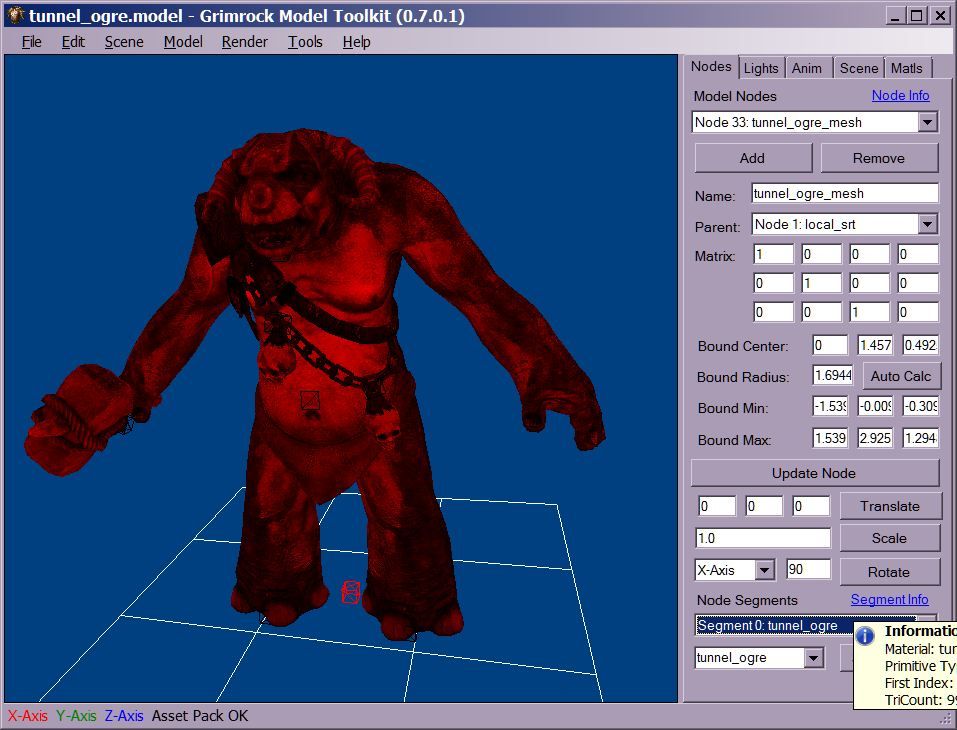
In GMT, you must select the mesh node for the model [it highlights the figure in red], and choose/assign the material name, and press the Set Material button; then save a copy of the the model.
*This can be done from the Tools menu as well.
As example:
I'm kicking myself for forgetting all this... I've gotten all the scripting done for my items now but i don't have specular or normal maps of the items to reference. what do i save those files from?
Re: Model textures
Posted: Thu Jan 26, 2017 2:35 am
by Isaac
Gradunk wrote:I'm kicking myself for forgetting all this... I've gotten all the scripting done for my items now but i don't have specular or normal maps of the items to reference. what do i save those files from?
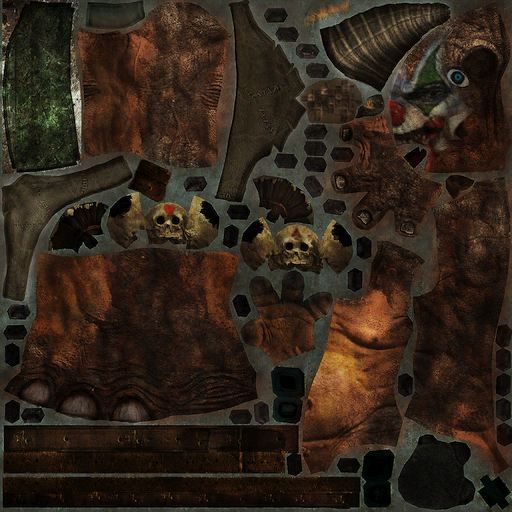
this one does... whats the difference. i have the diffuse map in the same file i can look at them with gimp etc...
i'm not getting error messages upon testing so i know it's finding the files etc...
I've also noticed how this is a Grimrock 1 forum... but i'm transferring my items to grimrock 2... trying to at least