Page 1 of 2
Custom Note picture [Solved]
Posted: Fri Oct 24, 2014 10:21 pm
by Jouki
Hello, I have another question. I'd like do a note with my own picture, something like this:
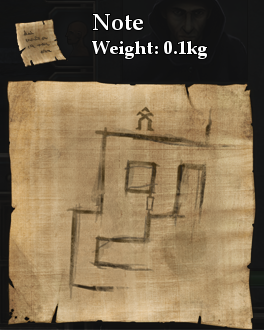 (It's from LoG1 but it doesn't matter at all)
Do someone know any way how to do that? I'd do that in photoshop/gimp but I don't have any good background for that.
Re: Custom Note picture
Posted: Fri Oct 24, 2014 10:29 pm
by Batty
I would search the youtubes for a tutorial, here is one to get started:
How To Create An Old Paper Texture In Gimp 2.8 and there are others.
Re: Custom Note picture
Posted: Fri Oct 24, 2014 10:31 pm
by Jouki
I'm not asking for tut about "how to create a note" but if is there some way to you original template and how to put note into the game

Re: Custom Note picture
Posted: Sat Oct 25, 2014 8:50 am
by Leki
You guys made my day 

Re: Custom Note picture
Posted: Sat Oct 25, 2014 9:55 am
by Mysterious
Now Leki that's the best piece of humor I have seen all week thxs awesome
Re: Custom Note picture
Posted: Sat Oct 25, 2014 3:33 pm
by Batty
Found it!

Re: Custom Note picture
Posted: Sat Oct 25, 2014 3:47 pm
by Jouki
ok at first, template would be great in PNG with empty background (and yeah I can do it in PS/gimp but it's not perfect)

and the second thing is; still dont know how to put that into the game

Re: Custom Note picture
Posted: Sat Oct 25, 2014 4:02 pm
by Batty
Jouki wrote:still dont know how to put that into the game
My problem too, the note paper is from LoG1:
Code: Select all
spawn("note_paper", party.level, party.x, party.y, 2):setScrollImage("mod_assets/textures/treasure_map_blank.dds")
How to do it in LoG2? I don't know.
Re: Custom Note picture
Posted: Sat Oct 25, 2014 4:08 pm
by Skuggasveinn
Batty wrote:How to do it in LoG2? I don't know.
its almost the same, just add scrollitem after the name
Code: Select all
treasuremap1.scrollitem:setScrollImage("mod_assets/textures/treasuremap1.dds")
Re: Custom Note picture
Posted: Sat Oct 25, 2014 4:16 pm
by Jouki
Batty wrote:Jouki wrote:still dont know how to put that into the game
My problem too, the note paper is from LoG1:
Code: Select all
spawn("note_paper", party.level, party.x, party.y, 2):setScrollImage("mod_assets/textures/treasure_map_blank.dds")
How to do it in LoG2? I don't know.
nice, I know I should google it before I ask but I'm excited to do that note
. Do you know any way how to export this note from the game (yeah I have LoG1&2)
Skuggasveinn wrote:Batty wrote:How to do it in LoG2? I don't know.
its almost the same, just add scrollitem after the name
Code: Select all
treasuremap1.scrollitem:setScrollImage("mod_assets/textures/treasuremap1.dds")
I hope I get it, it'd be great
(thx ^^)